Do I need workout equipment?
The exercises use body weight. A few movements can use a wall or other support, which is noted in the exercise library.
Pick a few minutes for a quick workout, or open the next session in your four-week plan. Here is what you will see before, during and after a workout.

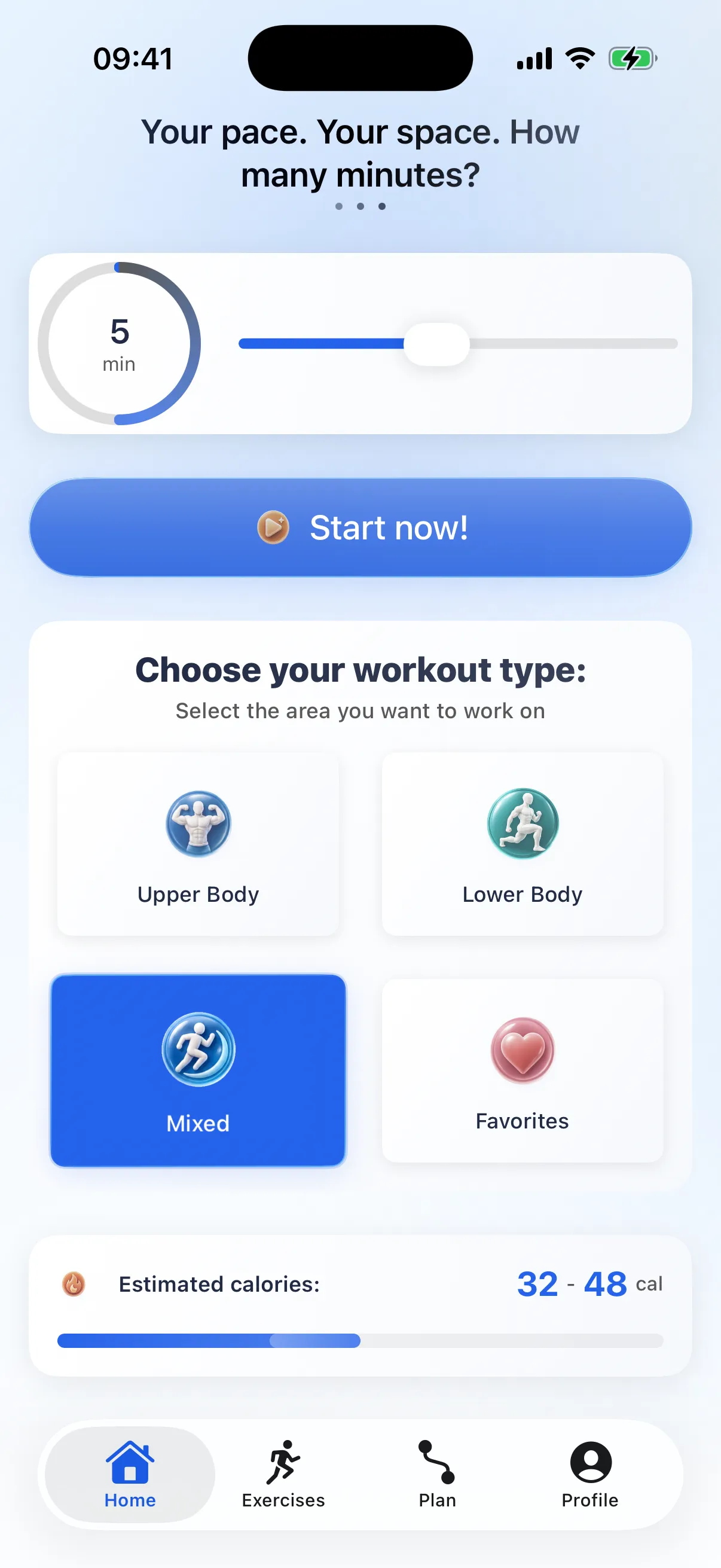
On Home, choose the workout type and the number of active minutes you have. If you are setting up RazFit for the first time, tell the app your goal, your level and which days you prefer. Choose Orion or Lyssa for recorded exercise demonstrations.
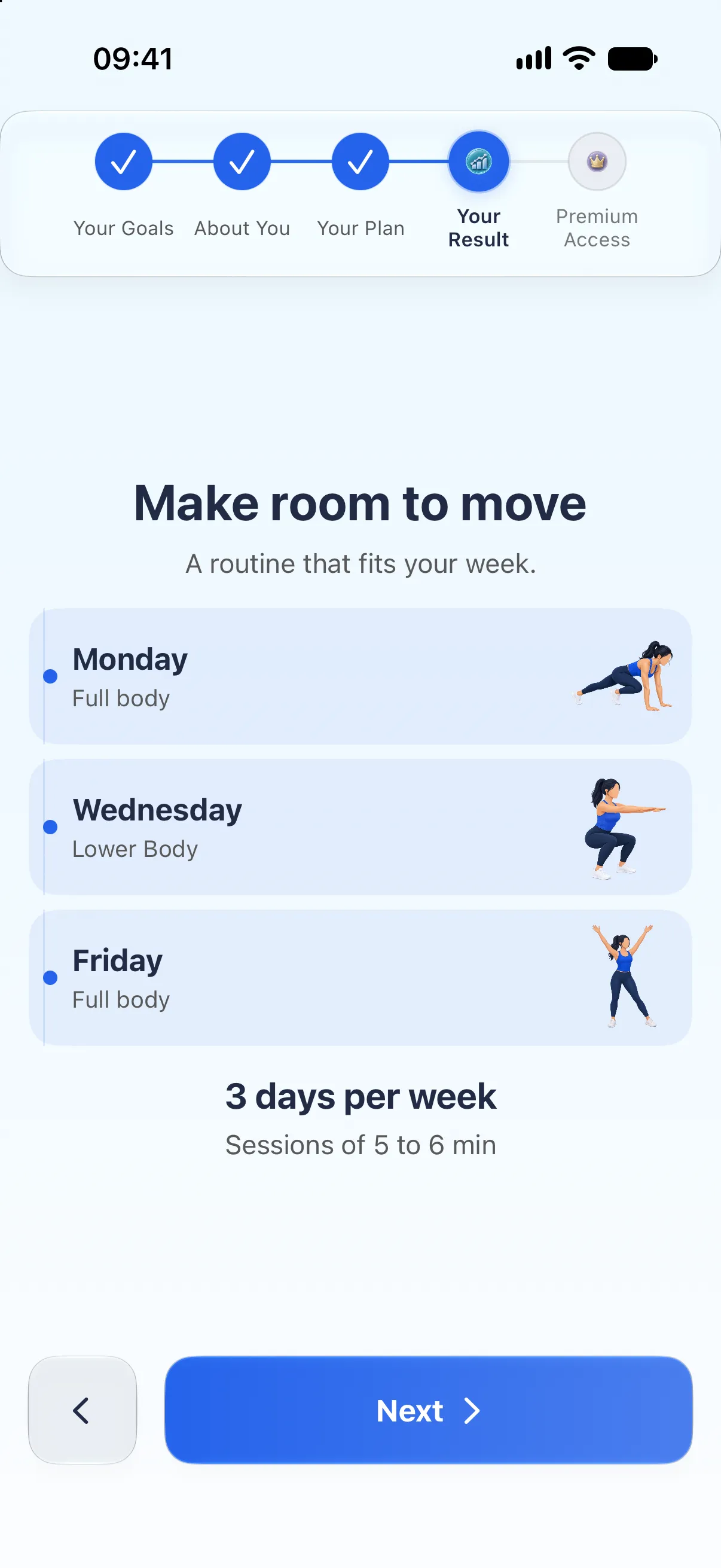
Setup can show a preview based on the same generator that prepares the four-week plan. What appears depends on your goal. A preview may include frequency, a range of durations or a short schedule.
With active access, Your Plan shows a four-week cycle. It uses your goal, level and at least one preferred day. Other profile details can apply to particular goals. Your preferred workout time is used for reminders. The Current mission card shows the next pending session, which can fall on another day or be a recovered session. Check the date, workout type, minutes and intensity. Prepare mission opens the workout screen with those settings in place.
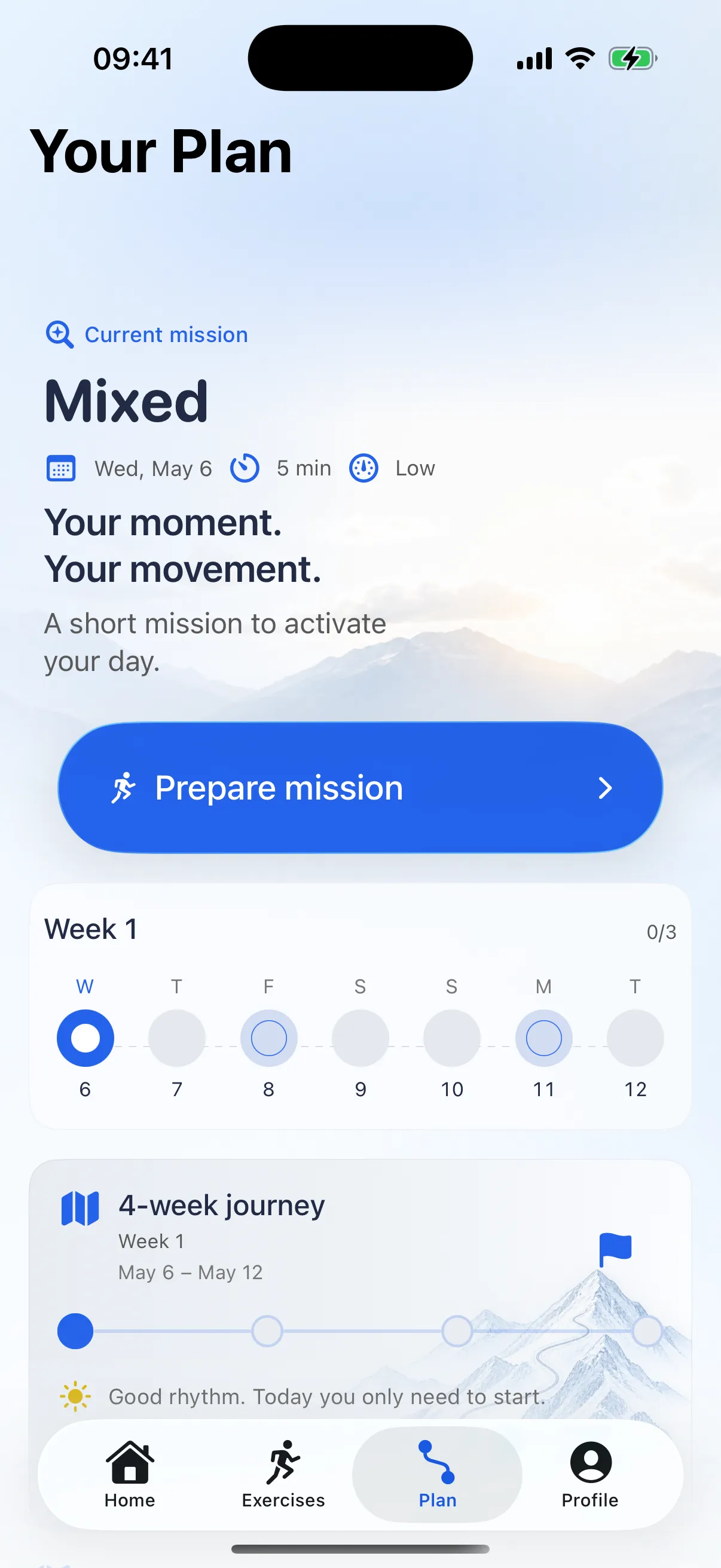
The weekly strip shows training days and rest days. Open a week in the four-week path to see the sessions scheduled there and their status. The plan also shows badge goals and a cycle summary.
A recorded workout can count toward a mission if it matches the scheduled day and workout type and credits at least 80% of the planned active time. The same criteria apply if you start on Home. Your Plan shows progress within the cycle. Your profile is where you can check your wider workout history.
A missed mission can move to another day that week if there is an open slot. The app may also show suggestions. Settings for a later cycle can change when the relevant inputs change. You’re up to date means there is no pending workout in the cycle.
Watch the exercise demonstration and use the timer to follow each interval. Pause or skip when the controls are available. Afterward, go to your profile to review completed workouts, active minutes, streaks and the badges you have earned.
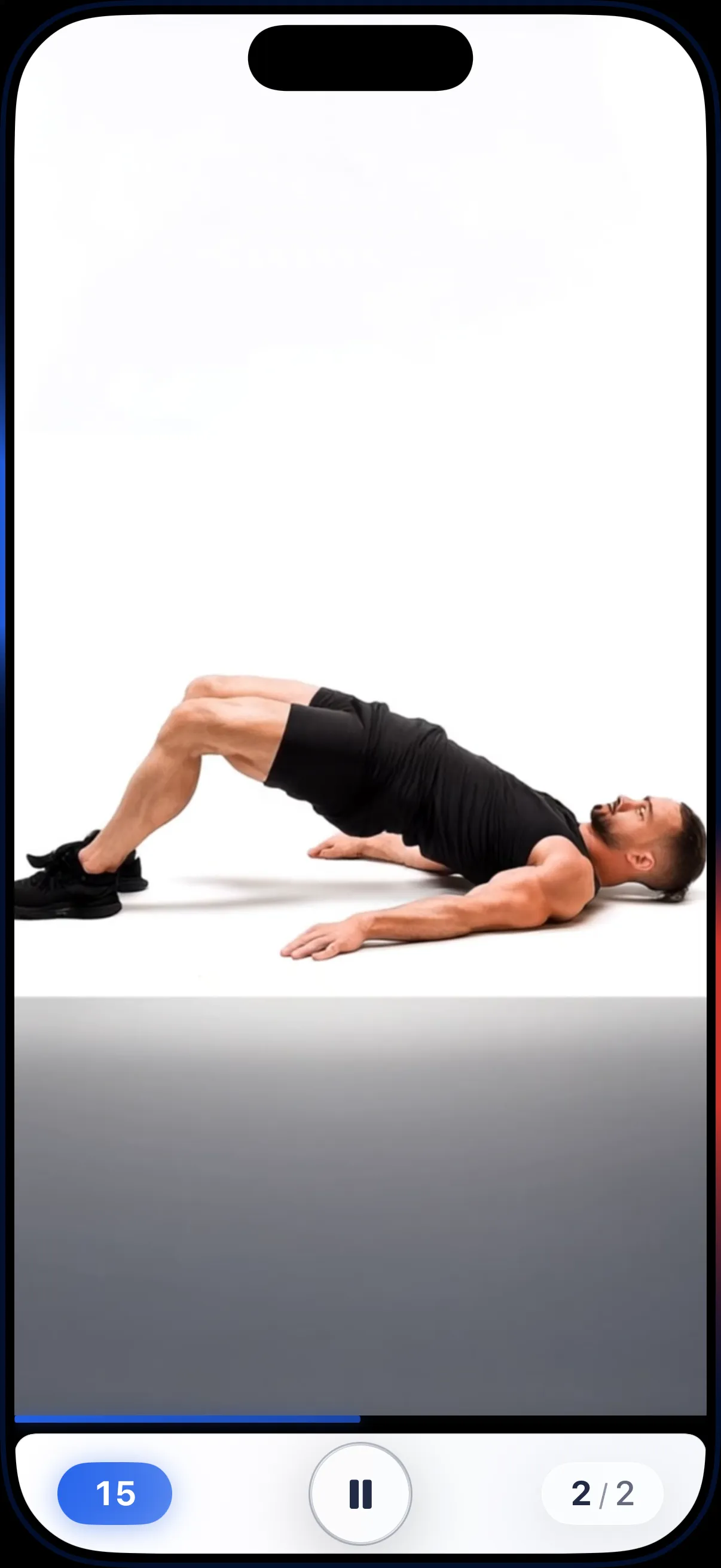
The exercises use body weight. A few movements can use a wall or other support, which is noted in the exercise library.
You can choose 1 to 10 active minutes. Previews, transitions and pauses can add to the total time.
Yes. Choose your starting level in setup and check the difficulty of individual movements in the library.
Check the App Store listing for current requirements. The Apple Watch companion can show stats and badges when connected to the iPhone app.
You can download the app and complete setup before activating access. The main app features require an active eligible trial or a paid subscription.